
Tech Scenarios
How to Pick a Monitor for Dual-Screen Productivity
What changed in this update: a pick card, FAQs, and a closing verdict were added. The baked three-setup table in the body was kept, not duplicated. The Dell U2725QE is disclosed as the 4K step-up (2025, 140W Thunderbolt hub, DisplayHDR 600, $699.99); the U2724DE stays the pragmatic document-work pick per the article's own 1440p thesis.

Spreadsheets on one side, reference docs on the other. The right second display reduces tab chaos more than another browser extension ever will.
🛒 Featured picks in this guide
The products mentioned in this guide, in one place — tap through to check the current price on Amazon.
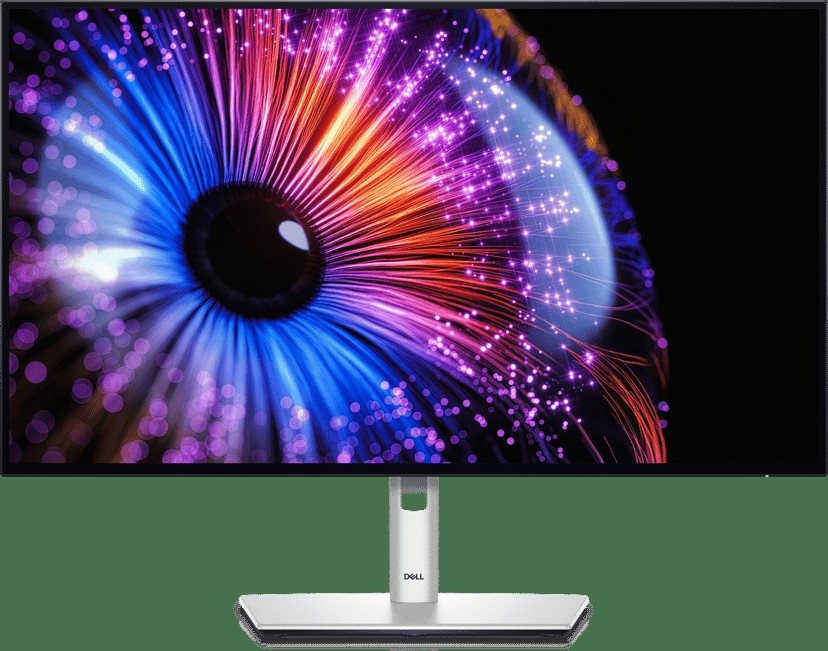
主推 Dell UltraSharp U2724DE
The one-cable desk: display, 90W charging, hub, and KVM in a single USB-C plug.
27-inch QHD IPS Black · 120Hz · Thunderbolt hub · 90W PD · KVM · ~$490 on sale
✓ One cable does everything; 1440p needs no scaling on Windows
✗ U2725QE is the 4K step-up (140W, HDR600, $699.99) if you do photo/video work
~$490
Check price on Amazon →As an Amazon Associate, we earn from qualifying purchases. Prices change — Amazon shows the current price.
Omar kept losing spreadsheet rows behind chat windows. A second 27-inch monitor fixed the workflow in one afternoon. Dual screens are a productivity buy when size, resolution, and stand flexibility line up — get one of those wrong and the second screen becomes an expensive paperweight.
The research backs the feeling: the classic Microsoft/University of Utah studies found multi-monitor setups cutting task time significantly on office work, and every developer survey since agrees. The gains come from reference material staying visible, not from more pixels per se.
Size and resolution
27-inch 1440p is the sweet spot for most desks: at 109 pixels per inch, text is sharp without UI scaling headaches, and two of them fit a standard 140 cm desk. 24-inch 1080p works in tight spaces but feels cramped once you've tasted 27. Ultrawides (34-inch 3440×1440) can replace dual screens if you prefer one panel and virtual desktops — no bezel in the middle, but also no true fullscreen separation.
4K at 27 inches (163 PPI) looks stunning but demands 150 percent scaling on Windows, which still misbehaves in some legacy apps. For pure document work, 1440p remains the pragmatic choice; for photo and video work, 4K earns its premium. Match the decision to your actual pixels, not showroom impressions.
What I run at home
My setup is a 27-inch 1440p IPS (Dell U2724DE, about $490 on sale) as the main, with my laptop on a vertical stand feeding it over a single USB-C cable — 90W power delivery, display signal, and USB hub all in one plug. The monitor's built-in KVM even switches the keyboard between laptop and a mini PC with one button. Total desk cables: one.
Before this I tried a 32-inch 4K as a single screen, thinking bigger was better. It wasn't, for me: at normal desk depth I was physically turning my head to read across spreadsheets, and Windows scaling at 125 percent made some apps fuzzy. I sold it after four months and went back to 27. Screen size has a Goldilocks zone, and for desk work at arm's length, 27 inches is it.
The upgrade that mattered more than the panel: a $35 gas-spring arm. Height, tilt, swivel, and the ability to pull the screen six inches closer for detailed work — the stock stand it replaced could do none of that. If your monitor budget is $400, spend $330 on the screen and $70 on the arm, not $400 on the screen.
Panel type for office work
IPS panels keep colors consistent when you glance from an angle — critical when the second screen sits off-center. VA panels have better contrast but shift when viewed sideways, which is exactly how second monitors sit. High refresh rates (120Hz+) are nice but secondary for documents; your eyes won't revolt at 60Hz on a spreadsheet. Matte coatings reduce reflections near windows — glossy looks premium in the store and miserable at 2 p.m. by a window.
Brightness: 300-350 nits is plenty for offices; 400+ only matters near bright windows. More important is a good low-brightness mode for evening work — cheap panels flicker or crush blacks at minimum brightness.
Stands and arms
Height, tilt, and swivel save your neck — full stop. Check VESA 100×100 mount compatibility before buying; nearly all 24-27 inch office monitors have it, some ultrawides don't. Match cables to your laptop: HDMI 2.0 handles 1440p at 144Hz, DisplayPort 1.2 does 4K at 60Hz, and USB-C with DisplayPort Alt Mode carries video plus 65-90W charging in one cable. Dell's P and U series remain the safe office defaults for a reason: three-year warranties, good stands, and USB-C hubs included.
Three setups, compared
| 27" 1440p IPS | 27" 4K IPS | 34" Ultrawide 1440p | |
|---|---|---|---|
| Pixel density | 109 PPI, no scaling needed | 163 PPI, needs 150% scaling | 110 PPI, no scaling needed |
| Typical price | $250-400 | $450-700 | $500-800 |
| USB-C power | 65-90W common | 90W on premium models | 90W common |
| Best for | Documents, code, value | Photo/video, sharpness | Timeline work, single-panel fans |
Pros and cons
- Pro: A second 27-inch 1440p screen is the highest ROI productivity purchase most desk workers can make — often under $300.
- Pro: USB-C single-cable monitors collapse display, power, and hub into one plug.
- Con: 4K at 27 inches demands OS scaling that still misbehaves in some Windows apps.
- Con: A bad stand ruins a good panel — budget the arm, not just the screen.
Complete the desk
Calibrate brightness to the room — office monitors ship at retina-searing vividness; your eyes will thank you by Friday. Cross-check panel quality on RTINGS before buying; their text-clarity scores predict office happiness better than contrast ratios. Then build around it with my desk setup guide (the monitor arm section is the important part), drive it from a laptop that docks over one cable, and type on a keyboard worth touching for eight hours.
Frequently asked questions
27-inch 1440p, 27-inch 4K, or 34-inch ultrawide?
27-inch 1440p is the sweet spot for most desks: 109 PPI means sharp text without UI scaling headaches, and two fit a standard 140 cm desk. 4K at 27 inches (163 PPI) looks stunning but demands 150% scaling on Windows, which still misbehaves in some legacy apps. Ultrawides remove the middle bezel but lose true fullscreen separation.
Should I buy the newer Dell U2725QE instead?
The U2725QE (2025, $699.99) combines the U2724DE's 120Hz and Thunderbolt 4 hub with 4K resolution, 140W power delivery, and DisplayHDR 600. It is the right step up for photo and video work. For pure document work, the U2724DE stays the pragmatic pick — no scaling headaches, about $150 less.
Does the stand matter as much as the panel?
More than most people think. A $35 gas-spring arm gives height, tilt, swivel, and the ability to pull the screen closer for detailed work — the stock stand it replaced could do none of that. If your budget is $400, spend $330 on the screen and $70 on the arm, not $400 on the screen.
IPS or VA for a second monitor?
IPS. Colors stay consistent when you glance from an angle, which is exactly how second monitors sit. VA has better contrast but shifts when viewed sideways. High refresh rates (120Hz+) are nice but secondary for documents; 60Hz will not hurt your eyes on a spreadsheet.
Bottom line
A second 27-inch 1440p screen is the highest-ROI productivity purchase most desk workers can make — often under $300 for the panel, plus a gas-spring arm. The Dell U2724DE adds the one-cable Thunderbolt dock on top, and the U2725QE is there if your work earns its 4K premium.
Affiliate disclosure: some product links may earn ElectroVibe Lab a commission at no extra cost to you. As an Amazon Associate, we earn from qualifying purchases.