
Tech Scenarios
Cable Management That Makes a Small Desk Feel Bigger
What changed in this update: pick tiers, spec lines, pros and cons, a comparison table, FAQs, and a closing verdict.

Visual clutter taxes focus. A few clips, a tray, and intentional cable lengths reclaim space you already paid for.
🛒 Featured picks in this guide
The products mentioned in this guide, in one place — tap through to check the current price on Amazon.
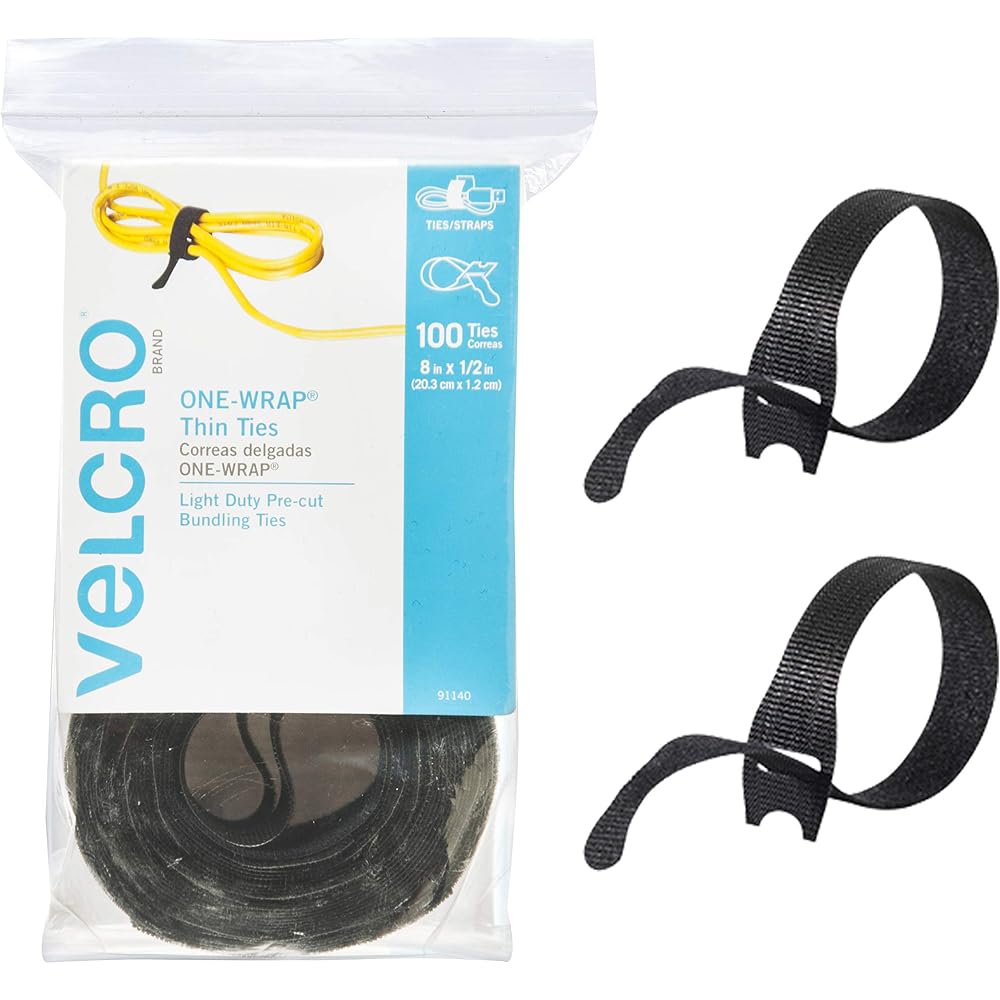
主推 VELCRO ONE-WRAP Ties (100-pack, 8 in)
Reusable, forgiving, cheap — and far easier to redo than zip ties.
8 in · 100-pack · reusable
✓ The single best cable-management purchase in the guide
✗ Slightly bulkier than zip ties
About $8 per 100-pack.
Check price on Amazon →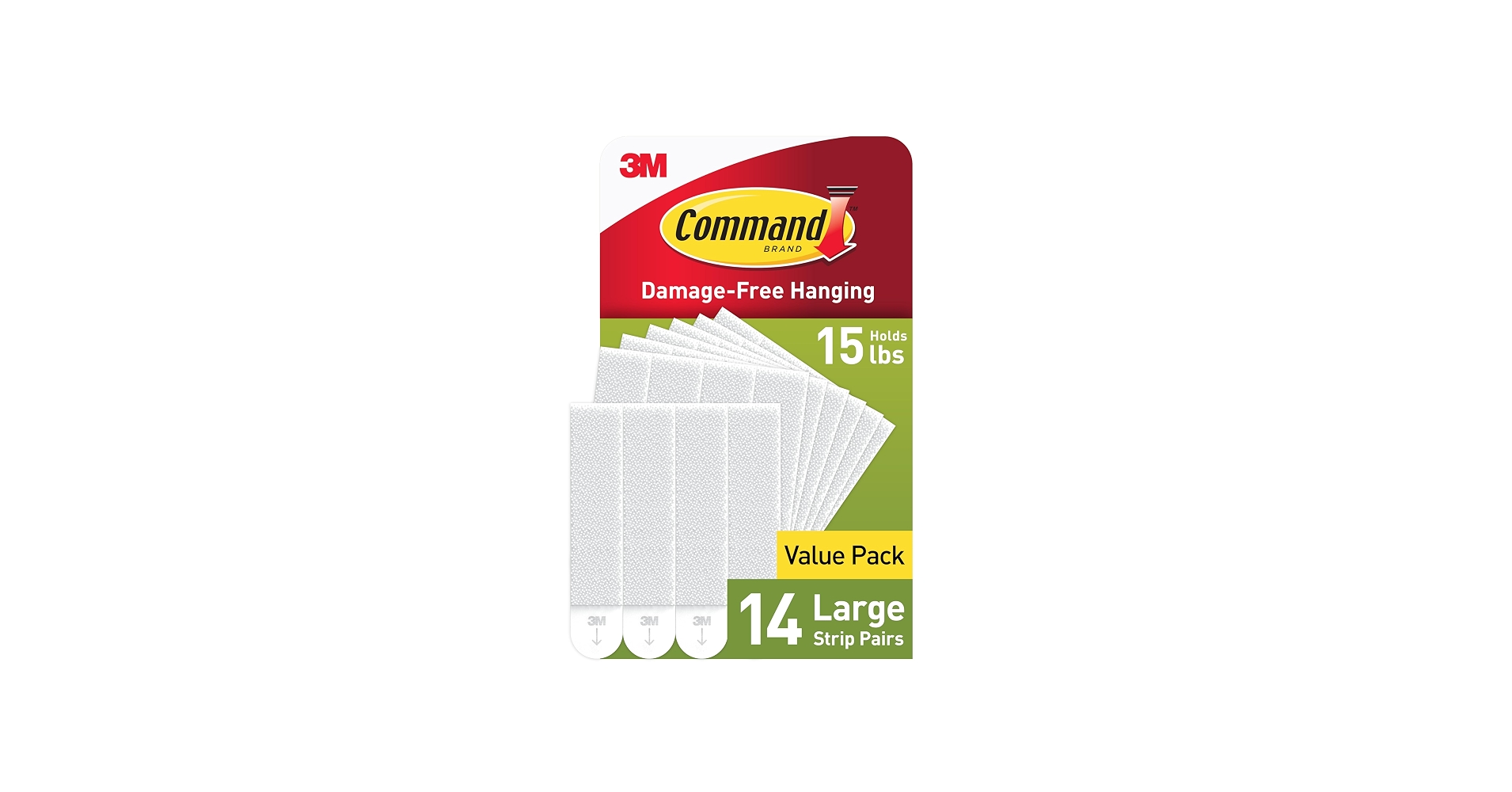
免打孔之选 3M Command Large Picture Hanging Strips (14 pairs)
Holds a lightweight tray with no drilling, and peels off clean when you move out.
16-lb rated large strips · 14 pairs · no drilling
✓ Held the author's tray for two years in a rental
✗ Light loads only — fine for a tray, not for heavy gear
Value pack of 14 large pairs.
Check price on Amazon →As an Amazon Associate, we earn from qualifying purchases. Prices change — Amazon shows the current price.
My first "real" desk setup had 14 visible cables. Fourteen. I counted, because a friend sent a photo of his battlestation and mine looked like a spaghetti incident by comparison. I spent one Saturday — four hours, $35 in Velcro ties and a tray — and the same desk looked twice as big. Not metaphorically: with the cables gone, I reclaimed six inches of depth I didn't know I had.
Two years later, that system has survived three monitor swaps and a full PC rebuild without turning feral again. Here's the exact method, refined through doing it wrong twice first.
A one-hour reset
- Unplug and group by device.
- Measure only the length you need; coil and Velcro the rest.
- Mount an under-desk tray for bricks and hubs.
- Route everything along the desk's back edge with adhesive clips.
- Label both ends of every cable with tape — future you says thanks.
What I got wrong the first two times
Attempt one: zip ties everywhere. Looked great for a month, then I needed to swap one cable and had to cut twelve ties. Lesson: Velcro only — the reusable 8-inch ties ($8 for 100) are the single best cable-management purchase. Attempt two: I cable-managed around a too-short power strip, so everything was taut. Lesson: start with a longer power strip than you think you need (10ft cord minimum) mounted under the desk — slack is your friend.
My current setup (total: ~$35)
Under the desk: an IKEA Signum tray ($15) holds the power strip, laptop brick, and USB hub. From the tray, one thick cable sleeve ($12) runs to the floor — it looks like a single cord. On the desk: adhesive clips ($8 for 20) route the monitor and keyboard cables along the back edge. Everything else is Velcroed into coils. Total visible cables on the desk surface: two (keyboard and mouse, both short).
The unexpected benefit wasn't aesthetics — it was cleaning. I used to dread moving the desk to vacuum. Now I wipe the floor in thirty seconds. Small desks punish clutter exponentially; this was the highest-ROI hour I've spent on my workspace.
Pros and cons of approaches
- Velcro ties ($8/100): reusable, forgiving, cheap; slightly bulkier than zip ties
- Under-desk tray ($15): hides bricks and strips completely; requires drilling or strong adhesive
- Cable sleeve ($12): one-cord look for floor runs; annoying to add cables later
- Adhesive clips ($8/20): precise routing along edges; adhesive fails on textured surfaces over time
What I'd actually buy
The $35 kit above: 100-pack of Velcro ties, an under-desk tray, a cable sleeve, and adhesive clips. Do it on a Saturday morning when you can unplug everything without guilt. Take a before photo — you'll want it.
Once the cables are tamed, the Zoom-day desk guide covers the ergonomic half of the equation. And if your desk is also your entertainment center, the smart plug guide has my scheduled power-strip setup for killing standby waste.
IKEA's Signum cable management tray is still the best $15 in desk organization. For small-space inspiration, Wirecutter's home office guides have tested most of these accessories.
For renters: no-drill options
My rental lease forbids drilling, so the "screw a tray under the desk" advice was useless. What works: heavy-duty 3M Command strips (the 16-lb rated ones) hold a lightweight tray fine — mine's held for two years. Adhesive cable raceways ($15 for 6ft) stick to the desk's back edge and hide everything without a single hole. And a floor cable cover ($20) runs the one cord to the wall outlet without looking like a trip hazard. When I move, everything peels off clean.
Maintenance: the 10-minute quarterly reset
Cable management decays — new devices arrive, old ones leave, and entropy wins. Every three months I spend ten minutes: unplug dead cables (there's always one), re-Velcro anything sagging, and check adhesive clips. I keep a small "cable kit" in the desk drawer: spare Velcro ties, two adhesive clips, a label roll. The quarterly reset prevents the slow slide back to spaghetti. Set a calendar reminder; future you is grateful.
The "one in, one out" rule
Every new device adds at least one cable. My rule: when something new arrives, something old gets unplugged, donated, or recycled that same day. The drawer of orphaned micro-USB cables? Recycled last spring — twelve cables, zero regrets. This single habit has kept my desk stable for two years. Cable management isn't a project, it's a practice: the initial reset takes an hour, but the discipline of "one in, one out" is what keeps it working.
Bottom line: one Saturday, $35 in supplies, and the "one in, one out" rule. Your small desk will feel bigger, cleaning gets easier, and you'll wonder why you waited so long.
Start this weekend — unplug everything, take the before photo, and enjoy the most satisfying hour of home improvement you will do all year.
Compare the picks
| Product | Best for | Price | Key specs | |
|---|---|---|---|---|
| VELCRO ONE-WRAP Ties (100-pack, 8 in) | Every desk reset | ~$8 / 100-pack | 8 in, reusable | Check price → |
| 3M Command Large Picture Hanging Strips (14 pairs) | Rentals; no-drill mounting | Value pack of 14 pairs | 16-lb rated large strips | Check price → |
Frequently asked questions
Why not zip ties?
The author's first attempt looked great for a month, then swapping one cable meant cutting twelve ties. Velcro only.
My lease forbids drilling — what works?
Heavy-duty 3M Command strips (16-lb rated) hold a lightweight tray fine — the author's held for two years — and everything peels off clean when you move.
How do I keep it from sliding back to spaghetti?
A 10-minute reset every three months plus the one-in-one-out rule: when a new device arrives, an old cable leaves the same day.
What should I buy first?
The 8-inch Velcro ties, $8 for 100 — the guide calls them the single best cable-management purchase.
Bottom line
One Saturday, about $35 in supplies, and the one-in-one-out rule. Start with the Velcro ties; renters mount the tray with Command strips instead of drilling.
VELCRO ONE-WRAP Ties (100-pack, 8 in) → 3M Command Large Picture Hanging Strips (14 pairs) →
Affiliate disclosure: some product links may earn ElectroVibe Lab a commission at no extra cost to you. As an Amazon Associate, we earn from qualifying purchases.