
Tech Scenarios
Choosing a Webcam That Makes You Look Presentable
What changed in this update: pick tiers, spec lines, pros and cons, a comparison table, FAQs, and a closing verdict.
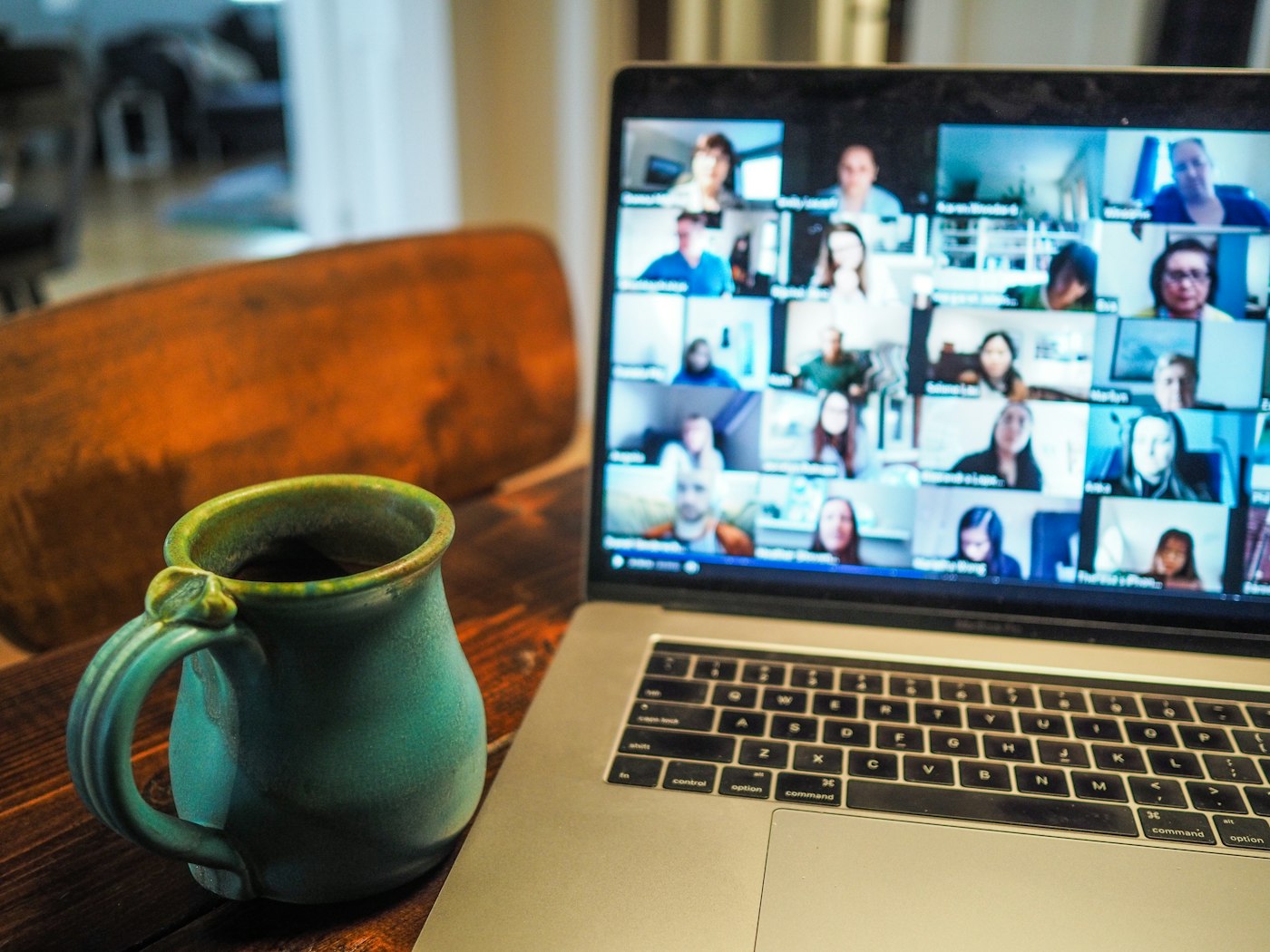
Built-in laptop cameras forgive nothing under overhead LEDs. A dedicated webcam plus basic light control upgrades every client call.
🛒 Featured picks in this guide
The products mentioned in this guide, in one place — tap through to check the current price on Amazon.
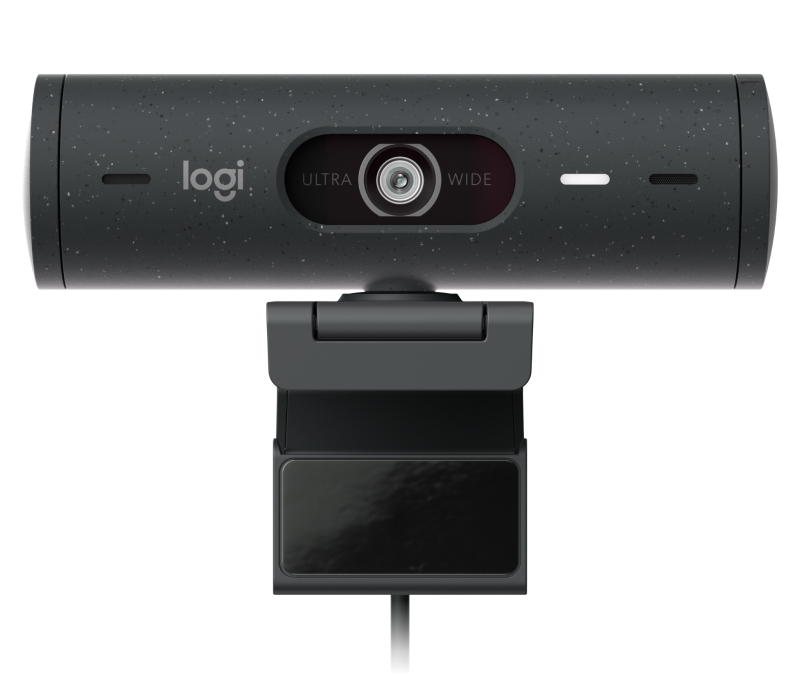
主推 Logitech Brio 500 (Graphite)
The sweet spot: 1080p with auto-framing, and a larger sensor that pulls noticeably more detail out of a dim office.
1080p · larger sensor · dual noise-reducing mics · physical privacy shutter
✓ Best low-light detail of the three; mics good enough to retire a headset
✗ 1080p only at $129; mount wobbles on laptop lids
About $130 in the guide.
Check price on Amazon →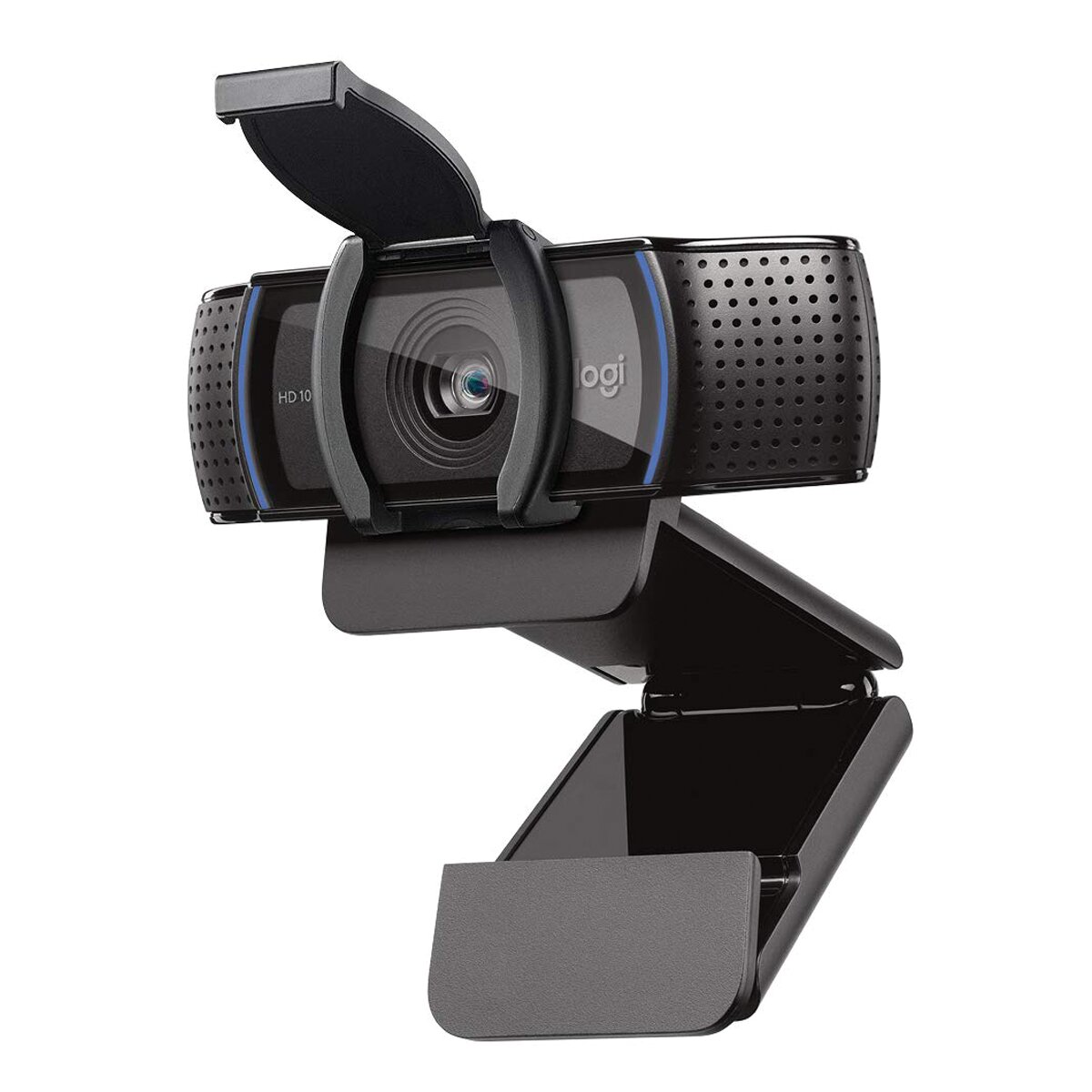
平价之选 Logitech C920s
The $69 veteran — perfectly fine when your room light is decent, noisy once the sun goes down.
The veteran pick · millions sold · works everywhere
✓ In a well-lit room most people cannot tell the difference
✗ Noisy in dim rooms; narrow dynamic range
$69 in the guide.
Check price on Amazon →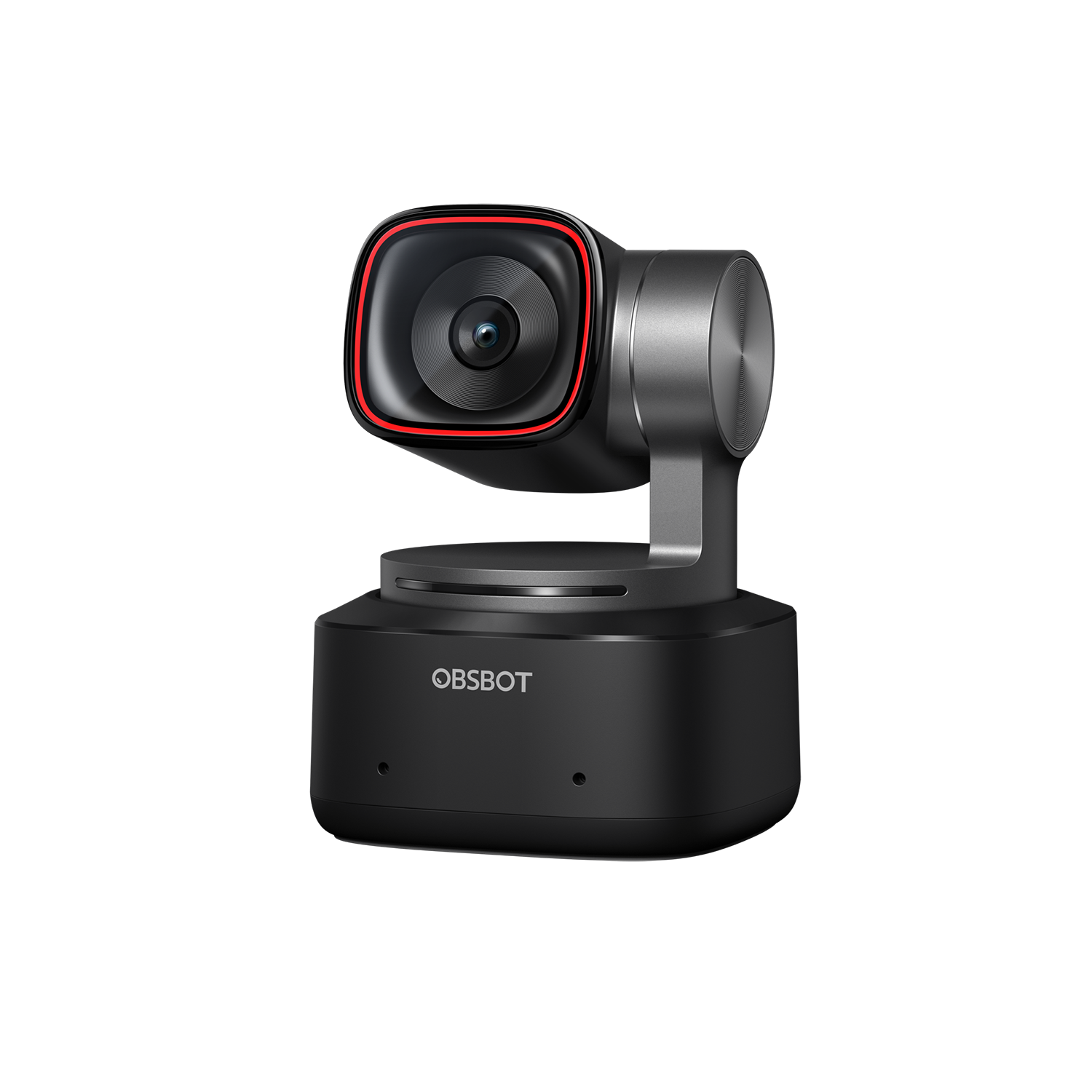
进阶之选 OBSBOT Tiny 2
4K with auto-tracking that keeps you centered — fun, though overkill for plain Zoom calls.
4K · auto-tracking · PTZ
✓ Tracking keeps you centered without a camera operator
✗ Overkill for plain Zoom calls; tracking can distract
Now around $299 (the guide noted $199).
Check price on Amazon →As an Amazon Associate, we earn from qualifying purchases. Prices change — Amazon shows the current price.
I learned this lesson the embarrassing way: during a freelance client pitch in 2024, my laptop's 720p camera rendered me as a watercolor painting while the other consultant looked broadcast-ready. I lost the contract — maybe not because of the camera, but it didn't help. The next week I bought a Logitech Brio 500 ($129), and the difference was immediate enough that two colleagues asked if I'd "gotten a new setup."
Since then I've tested five webcams across maybe 200 hours of calls, from the $69 Logitech C920s to the $199 OBSBOT Tiny 2. The unsexy truth: a $100–$130 webcam with a decent sensor plus a $20 desk lamp beats a $300 camera in a dark room every time.
Resolution vs low light
1080p at 30 fps is enough for business calls. 4K helps only if lighting and upload bandwidth cooperate. Autofocus that hunts constantly is worse than fixed focus — I'd take a sharp 1080p image over a blurry 4K one in every meeting that matters.
Sensor size matters more than the resolution number. The Brio 500's larger sensor pulls noticeably more detail out of my dim home office than the C920s, which gets noisy (grainy) the moment the sun goes down. If your calls happen after 5pm in winter, prioritize low-light performance over 4K.
My daily driver: Logitech Brio 500 ($129)
What I like: the image is sharp without looking over-processed, the dual noise-reducing mics are good enough that I retired my headset for internal calls, and the privacy shutter is physical — a little slider, not software. Logi Tune software lets me tweak field of view (90°/78°/65°) so my messy bookshelf stays out of frame.
What I don't: it's 1080p only, which stings at $129 when 4K options exist. The mount is fine on a monitor but wobbly on a laptop lid. And Logitech's software occasionally forgets my settings after updates.
The budget pick: Logitech C920s ($69)
The C920s is the Toyota Corolla of webcams — millions sold, works everywhere, boring in the best way. Image quality is a clear step below the Brio 500 in low light, but in a well-lit room most people can't tell the difference. At $69 (often $49 on sale), it's the rational choice if your lighting is decent.
Pros and cons
- Logitech Brio 500 ($129): great low-light, good mics, physical shutter; 1080p only, mount wobbles on laptops
- Logitech C920s ($69): proven, cheap, works everywhere; noisy in dim rooms, narrow dynamic range
- Elgato Facecam ($149): best raw image quality, no-nonsense; no mic at all, needs good light to shine
- OBSBOT Tiny 2 ($199): 4K, auto-tracking is fun; overkill for Zoom, tracking can be distracting
What I'd actually buy
Most people: the Logitech C920s at $69 plus a $20 LED desk lamp aimed at your face. Total $89, and you'll look better than 90% of people on the call. If you're client-facing daily like I am, step up to the Brio 500 ($129) for the low-light headroom and better mics.
Don't forget the rest of the setup — my Zoom-day desk guide covers lighting and ergonomics, and the cable management guide keeps the new camera's USB cable from adding to the spaghetti.
For detailed sensor comparisons, RTINGS' webcam reviews measure low-light noise objectively. Logitech's official store often has refurbished units at 20–30% off.
Lighting matters more than the camera
I ran an experiment: the $69 C920s with a $20 Neewer LED panel vs the $129 Brio 500 in a dim room. The cheap camera with good light won, and it wasn't close. Light does three things no sensor can fake: it kills noise (grain), evens skin tones, and lets the camera use a faster shutter (less motion blur when you gesture).
The setup that works: a daylight-balanced (5600K) LED panel at 45° to your face, slightly above eye level, about 2 feet away. Bounce it off a white wall if it's too harsh. Total cost $20, bigger upgrade than any camera swap. Overhead ceiling lights are the enemy — they carve shadows under your eyes and make everyone look tired.
Software settings worth changing
Out of the box, most webcams over-sharpen and over-saturate. In Logi Tune (free), I drop sharpness to ~40%, nudge exposure down slightly, and set a custom white balance instead of auto — auto white balance shifting mid-call when you share your screen is distracting. Turn OFF "RightLight" auto-exposure if your lighting is consistent; it causes subtle brightness pumping. These five minutes of tuning made my $69 camera look like a $150 one.
What about using your phone as a webcam?
Modern phones have better cameras than any sub-$200 webcam — a 3-year-old iPhone's front camera outresolves the Brio 500. Apps like Camo ($40/year) or EpocCam turn your phone into a USB webcam with genuinely superior image quality. The catch: mounting is fiddly, calls drain the battery, and you can't use your phone during the meeting. I tried it for a month — image quality was the best I'd ever had, but the friction of setup before every call wore me down. Great backup option, annoying as a daily driver.
Compare the picks
| Product | Best for | Price | Key specs | |
|---|---|---|---|---|
| Logitech Brio 500 (Graphite) | Client-facing daily calls; dim rooms | ~$130 | 1080p, larger sensor, dual mics, privacy shutter | Check price → |
| Logitech C920s | Good lighting; tight budgets | $69 | Proven veteran; works everywhere | Check price → |
| OBSBOT Tiny 2 | Presenters who want 4K tracking | Now ~$299 (guide: $199) | 4K, auto-tracking PTZ | Check price → |
Frequently asked questions
Is 1080p enough, or do I need 4K?
1080p at 30 fps is enough for business calls. 4K only helps if lighting and upload bandwidth cooperate — a sharp 1080p image beats a blurry 4K one in every meeting that matters.
Dark room: new camera or better light?
Better light first. The author's test had the $69 C920s with a $20 LED panel beating the $129 Brio 500 in a dim room, and it was not close.
What is the Brio 500's weakness?
It is 1080p only at $129, the mount wobbles on laptop lids, and Logitech's software occasionally forgets settings after updates.
Can I use my phone as a webcam?
Yes, and the image is the best the author ever had — but mounting is fiddly, calls drain the battery, and you cannot use your phone during the meeting. Great backup, annoying daily driver.
Bottom line
Most people: the C920s plus a $20 lamp — $89 total, better than 90% of people on the call. Client-facing every day: step up to the Brio 500. And remember, light matters more than the camera.
Logitech Brio 500 (Graphite) → Logitech C920s → OBSBOT Tiny 2 →
Affiliate disclosure: some product links may earn ElectroVibe Lab a commission at no extra cost to you. As an Amazon Associate, we earn from qualifying purchases.