
Buying Guides
Tablet or Laptop for Note-Taking in Grad School
What changed in this update: pick cards, FAQs, and a closing verdict were added. The baked tablet-vs-laptop table in the body was kept, not duplicated. Two successors are disclosed: the iPad Air with M4 (March 2026, current generation) and the MacBook Air with M5 (late 2025) — both kept picks stay as value picks when discounted.

Lecture PDFs, lab data, and group projects pull you in different directions. Here is how students decide between slate and clamshell.
🛒 Featured picks in this guide
The products mentioned in this guide, in one place — tap through to check the current price on Amazon.
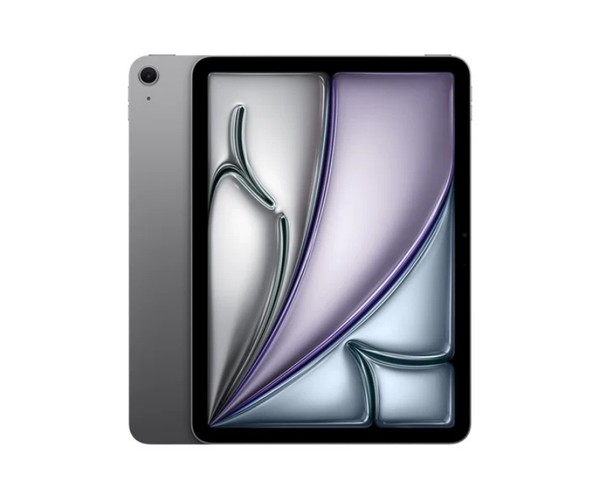
笔记主力 iPad Air 11-inch (M3)
The daily driver for the 80% of grad school that is reading, marking up, and sketching.
11-inch Liquid Retina · M3 · ~1.0 lb · ~10h · $599
✓ Handwriting, diagrams, and PDF markup that beat any 2-in-1
✗ M4 is the current generation (12GB RAM, Wi-Fi 7); no local R/Python for stats homework
$599
Check price on Amazon →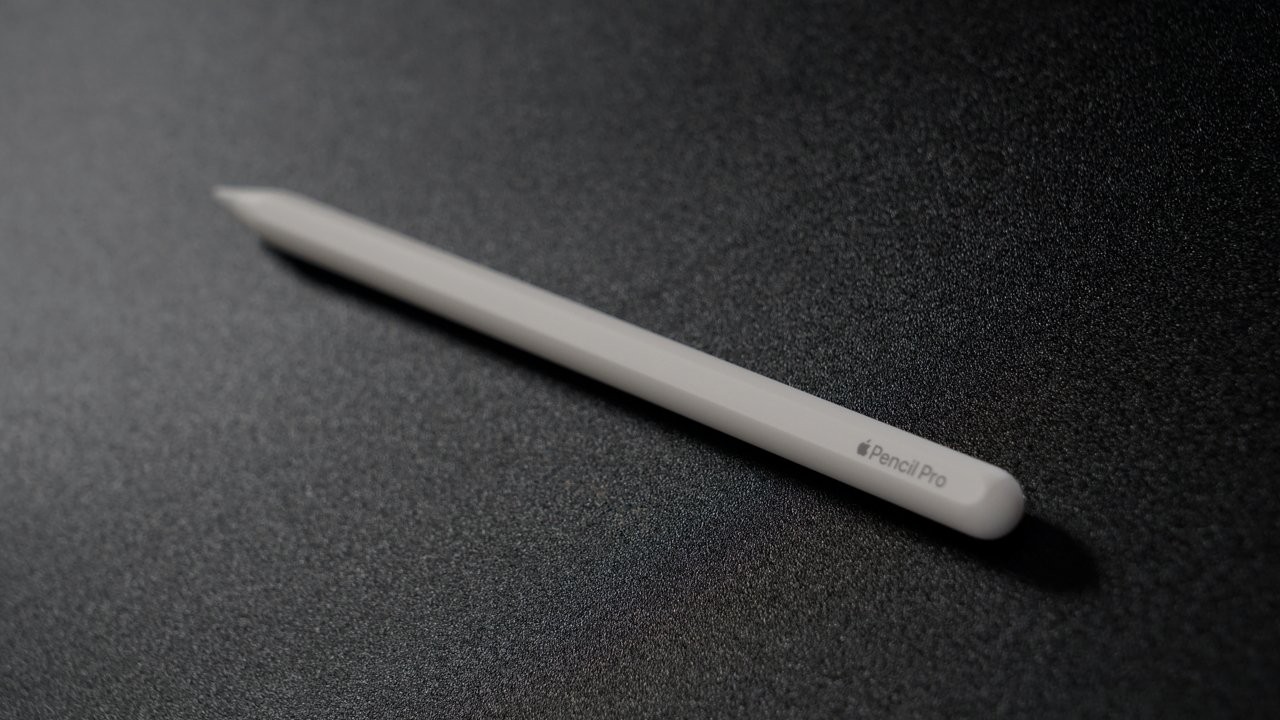
必配 Apple Pencil Pro
The stylus that makes the tablet kit work: hover preview and squeeze shortcut.
Hover preview · squeeze shortcut · flawless palm rejection · $129
✓ Under-10ms feel like paper; hover and squeeze genuinely speed up markup
✗ Adds $129 to the kit; only works with compatible iPads
$129
Check price on Amazon →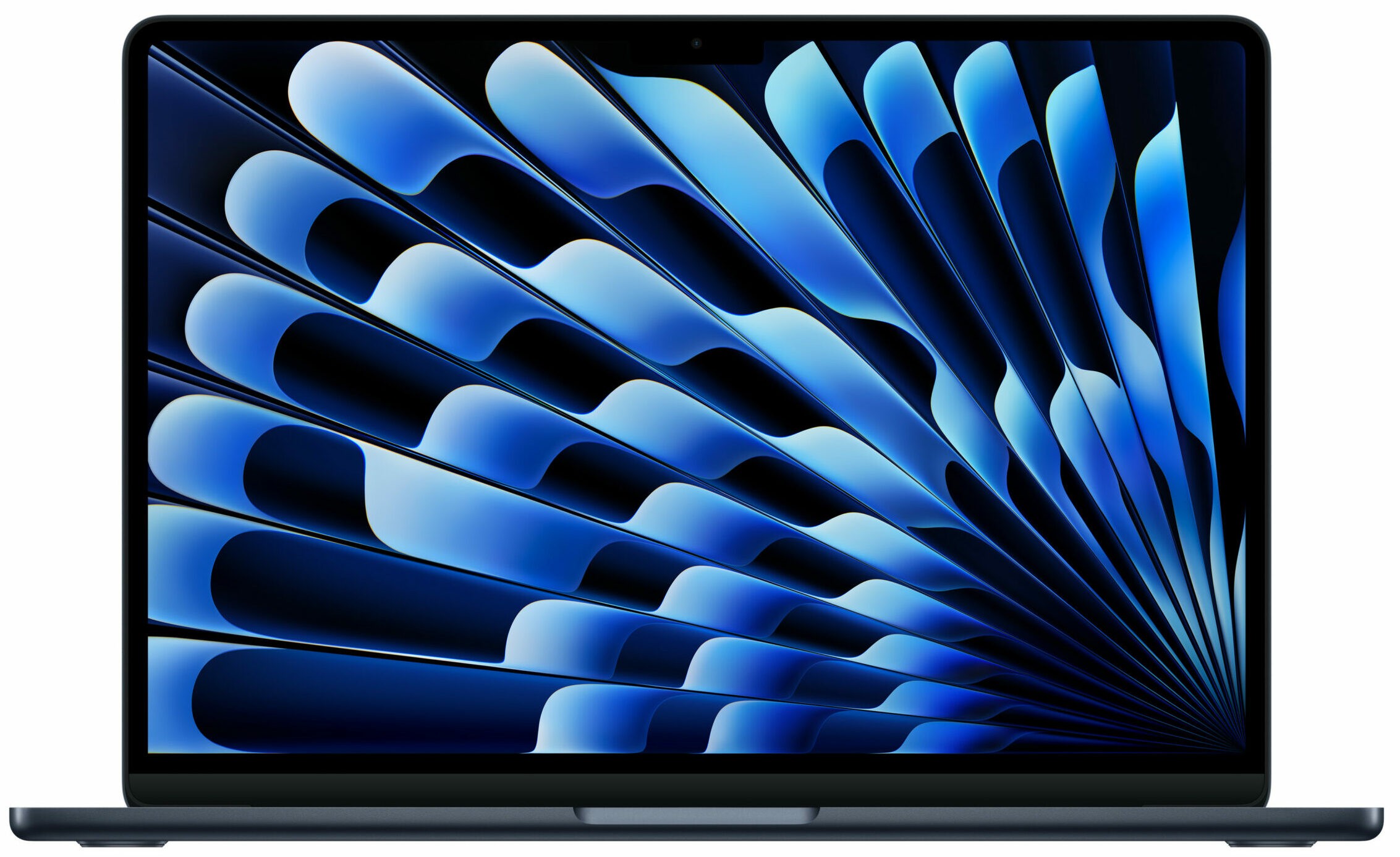
单设备之选 MacBook Air 13-inch (M4)
The sane one-device pick for code-heavy programs — just accept phone photos of diagrams.
13-inch · M4 · 2.7 lb · ~18h · $999
✓ Chewed through a Python data pipeline in minutes; 18-hour battery
✗ M5 is the current generation; typing lecture notes while the professor draws felt clumsy
$999
Check price on Amazon →As an Amazon Associate, we earn from qualifying purchases. Prices change — Amazon shows the current price.
My cousin Nina started her PhD in computational biology last fall, and her first panic purchase was a 16-inch gaming laptop — 5.5 pounds of RGB lighting that she lugged to seminars for exactly three weeks before it lived permanently on her desk. When I helped her rethink the setup, we landed on a split that has survived two full semesters: a lightweight laptop for the heavy lifting, and a tablet with a good stylus for the 80% of grad school that is actually reading, marking up, and sketching.
I borrowed her exact combo for a week to write this guide — an 11-inch iPad Air with the Apple Pencil Pro for notes, and my own 13-inch MacBook Air for everything else. The honest takeaway: neither device alone covers grad school comfortably, but the pair together costs less than one overpowered flagship laptop and weighs less in your bag on any given day.
My week with the tablet-led kit
Day one, I annotated a 40-page methods paper in GoodNotes on the iPad Air. The Pencil Pro's hover preview and squeeze shortcut genuinely changed how fast I could highlight, and palm rejection was flawless even writing in the margins. Battery went from 100% to 61% after six hours of mixed reading and note-taking — Apple's 10-hour claim holds up for this workload.
Where the tablet fell apart was the stats homework. I needed R and a Python environment with specific packages, and while there are workarounds (cloud Jupyter, remote desktop to the laptop), they all felt like compromises when a deadline was breathing down my neck. Compiling anything, running a local database, or wrangling a 2GB dataset? That's laptop territory, no contest.
The laptop side was the opposite story. The MacBook Air M4 (13-inch, $999) chewed through a Python data pipeline in minutes, and its 18-hour battery meant I never thought about the charger. But typing lecture notes while the professor drew derivations on the board felt clumsy — I ended up photographing the board with my phone like everyone else.
Choose a tablet-led kit when
- Most coursework is reading, markup, and diagramming
- You already have access to lab desktops or a home computer for heavy software
- Your program is paper-heavy: law, medicine, humanities, most life sciences coursework
- You handwrite to think — stylus latency under 10ms (iPad Pro/Air, Galaxy Tab S9/S10) feels like paper
Choose a laptop-first setup when
- Your coursework needs R, MATLAB, SPSS, CAD, or local dev environments daily
- You run simulations, compile code, or process large datasets
- Your program is exam-heavy with lockdown browsers (most still require a real laptop OS)
- You only want to buy and carry one device
Pros and cons
| Tablet-led kit (iPad Air + budget laptop) | Single laptop (MacBook Air / Surface) | |
|---|---|---|
| Total cost | $900–$1,200 (iPad Air $599 + Pencil Pro $129 + used laptop) | $999–$1,200 for one capable machine |
| Note-taking feel | Excellent — real handwriting, diagrams, PDF markup | Mediocre — typing only, awkward for sketches |
| Heavy software | Weak on the tablet; fine if you have a second machine | Excellent — one device does everything |
| Daily carry weight | ~1.0 lb (tablet only on light days) | 2.7 lbs (MacBook Air 13) every day |
| Battery | ~10 hrs tablet + ~18 hrs laptop | ~18 hrs (MacBook Air M4) |
What I'd actually buy
For most grad students, I'd recommend the iPad Air 11-inch (M3, $599) plus Apple Pencil Pro ($129) as the daily driver, paired with whatever laptop you already own — or a refurbished ThinkPad or MacBook Air if you need one. Total damage stays under $1,000 if you buy the laptop used, and the note-taking experience is dramatically better than any 2-in-1 I've tested. If your program is code-heavy and you insist on one device, the MacBook Air 13-inch (M4, $999, 2.7 lb) is the sane pick — just accept that your diagrams will be phone photos.
A note on Android tablets: the Galaxy Tab S10 series includes the S Pen in the box (no $129 add-on), which makes the math attractive. But app support for serious PDF annotation still lags iPadOS, so check that your must-have apps exist before committing.
Whichever route you take, protect the investment — a tidy desk setup with a proper charging station beats fishing for cables between seminars. And if you're outfitting a small apartment study corner on a budget, my refurbished buying guide covers how to get that second laptop safely for half the price.
For independent lab measurements of stylus latency and display quality, RTINGS' tablet reviews publish detailed input-lag numbers. Apple's official iPad Air specs page lists the current pricing and Pencil compatibility, which changes often enough to double-check before you buy.
What about 2-in-1 convertibles?
The obvious compromise is a 2-in-1 like the Surface Pro or Lenovo Yoga — one device that does both. I tested a Surface Pro 11th edition ($999) for a weekend, and my verdict is: it's 85% of a good laptop and 70% of a good tablet, which sounds fine until you use it daily. The kickstand is awkward on actual laps (ironic for a "laptop"), the Type Cover keyboard flexes, and at 1.97 lb with keyboard it's heavier than an iPad Air for reading in bed.
Where 2-in-1s win: if your program is Windows-software-heavy (SPSS, ArcGIS, engineering tools) AND you want pen input, there's no Apple equivalent — the iPad can't run x86 software, full stop. For those students, the Surface Pro 11 with the Flex Keyboard is the least-bad single device. But be honest about the tradeoff: you're paying laptop money for a compromised tablet experience.
Software compatibility checklist
Before buying anything, email your department's IT or check the program handbook for required software. My checklist from helping Nina: (1) Does your stats package run natively on the OS? (R and Python run on everything; SPSS has an iPad app but it's limited.) (2) Do exams use lockdown browsers? (Respondus and Honorlock still require Windows/macOS — a tablet alone will fail you here.) (3) Is there a VPN or remote desktop for lab machines? (If yes, the tablet becomes much more viable.) Nina's program checked all three boxes for the tablet-led kit; a friend in mechanical engineering did not — SolidWorks killed the tablet dream on day one.
Frequently asked questions
Tablet-led kit or one laptop?
Tablet-led when most coursework is reading, markup, and diagramming and you already have access to lab desktops or a home computer for heavy software. Laptop-first when your coursework needs R, MATLAB, SPSS, CAD, or local dev environments daily, or when exams use lockdown browsers — most still require a real laptop OS.
Should I buy the newer iPad Air M4 or MacBook Air M5 instead?
The iPad Air with M4 (March 2026) is the current generation: same design and display as the M3, with a faster chip, 12GB of RAM (up from 8GB), and Wi-Fi 7. The M3 stays the value pick when discounted. The MacBook Air with M5 (late 2025) is the current laptop generation; the M4 remains the value pick when discounted.
What about a 2-in-1 like the Surface Pro?
It is 85% of a good laptop and 70% of a good tablet. The kickstand is awkward on actual laps, the keyboard flexes, and at 1.97 lb with keyboard it is heavier than an iPad Air for reading in bed. It wins only if your program is Windows-software-heavy and you want pen input — there is no Apple equivalent for x86 software.
What should I check before buying anything?
Email your department's IT or check the program handbook: does your stats package run natively on the OS, do exams use lockdown browsers (tablets alone will fail you there), and is there a VPN or remote desktop for lab machines? If yes to remote access, the tablet becomes much more viable.
Bottom line
For most grad students, the iPad Air plus Apple Pencil Pro as the daily driver, paired with whatever laptop you already own, costs less than one overpowered flagship laptop and weighs less in your bag on any given day. If your program is code-heavy and you insist on one device, the MacBook Air is the sane pick — just accept that your diagrams will be phone photos.
iPad Air 11-inch (M3) → Apple Pencil Pro → MacBook Air 13-inch (M4) →
Affiliate disclosure: some product links may earn ElectroVibe Lab a commission at no extra cost to you. As an Amazon Associate, we earn from qualifying purchases.