
Smart Home
Smart Plugs That Actually Cut Standby Power Bills
What changed in this update: pick tiers, spec lines, pros and cons, a comparison table, FAQs, and a closing verdict.
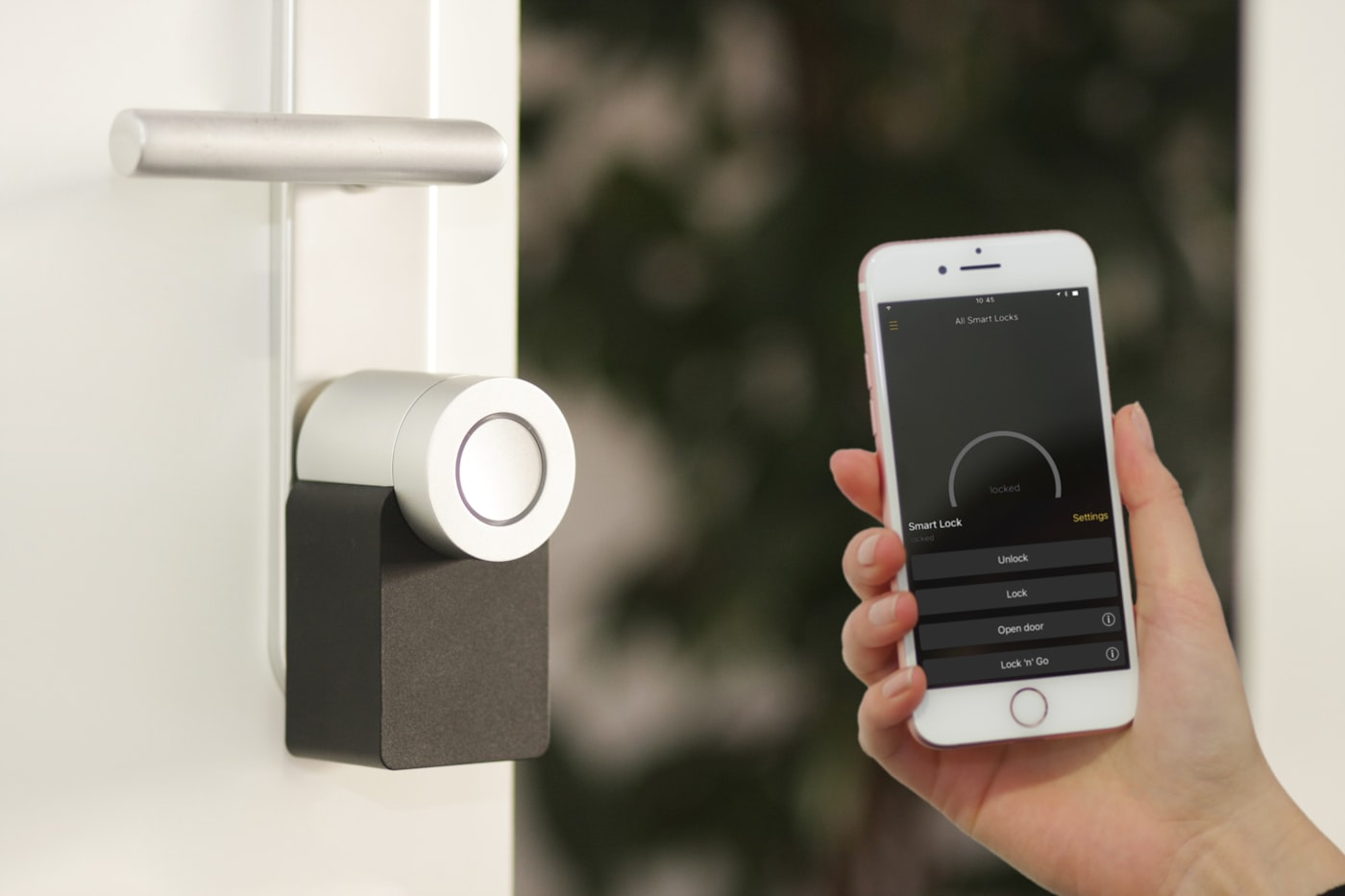
TVs, consoles, and chargers sip power all night. Schedules and energy monitoring turn that trickle into a visible monthly win.
🛒 Featured picks in this guide
The products mentioned in this guide, in one place — tap through to check the current price on Amazon.
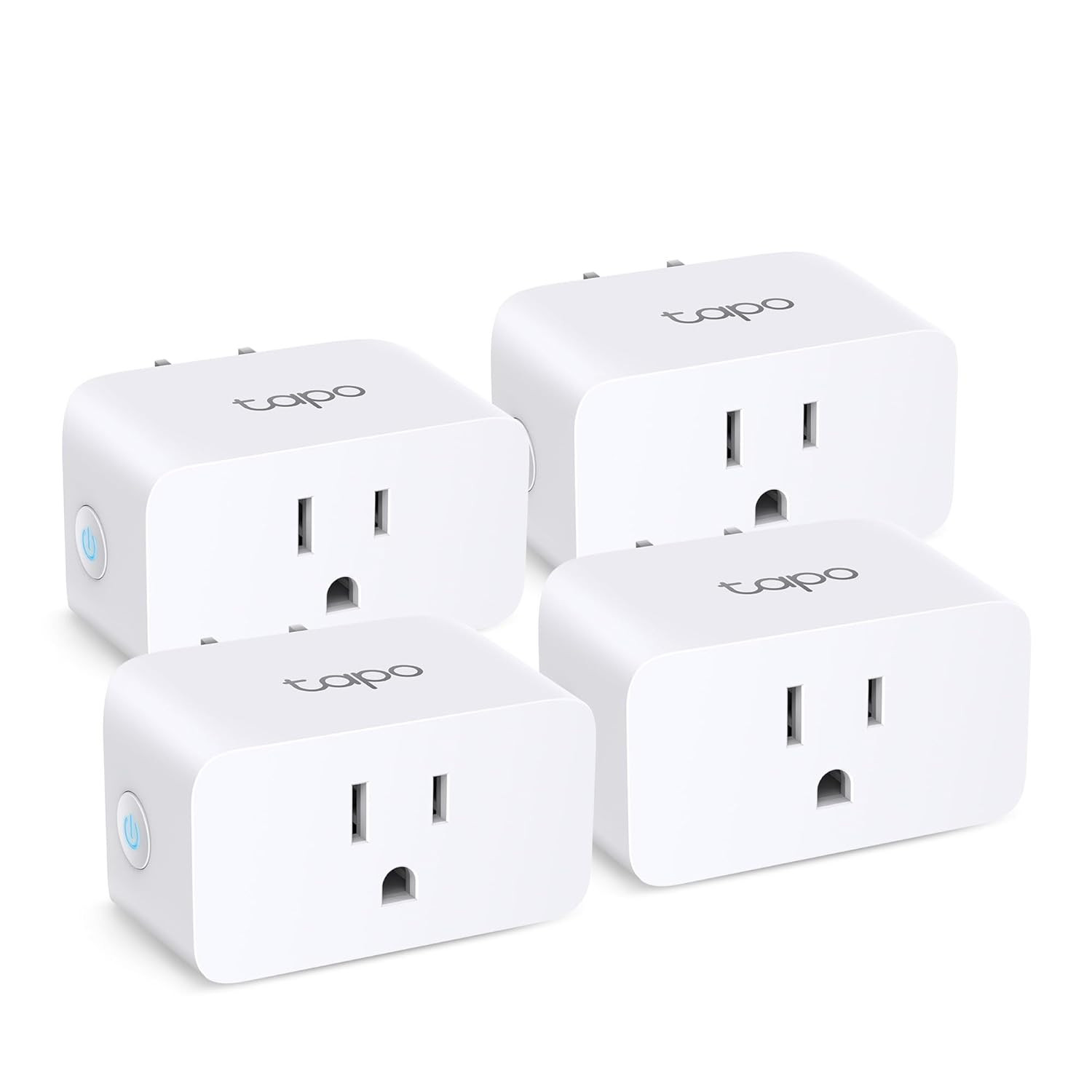
主推 Tapo P110 (4-pack)
Covers an entertainment center plus a couple of strays, with energy monitoring on every plug.
Energy monitoring · about $12 per plug · 2.4GHz Wi-Fi only
✓ Reliable schedules for 14 months; payback under six months
✗ Bulky — two can block adjacent outlets; cloud account required
4-pack, about $40 in the guide.
Check price on Amazon →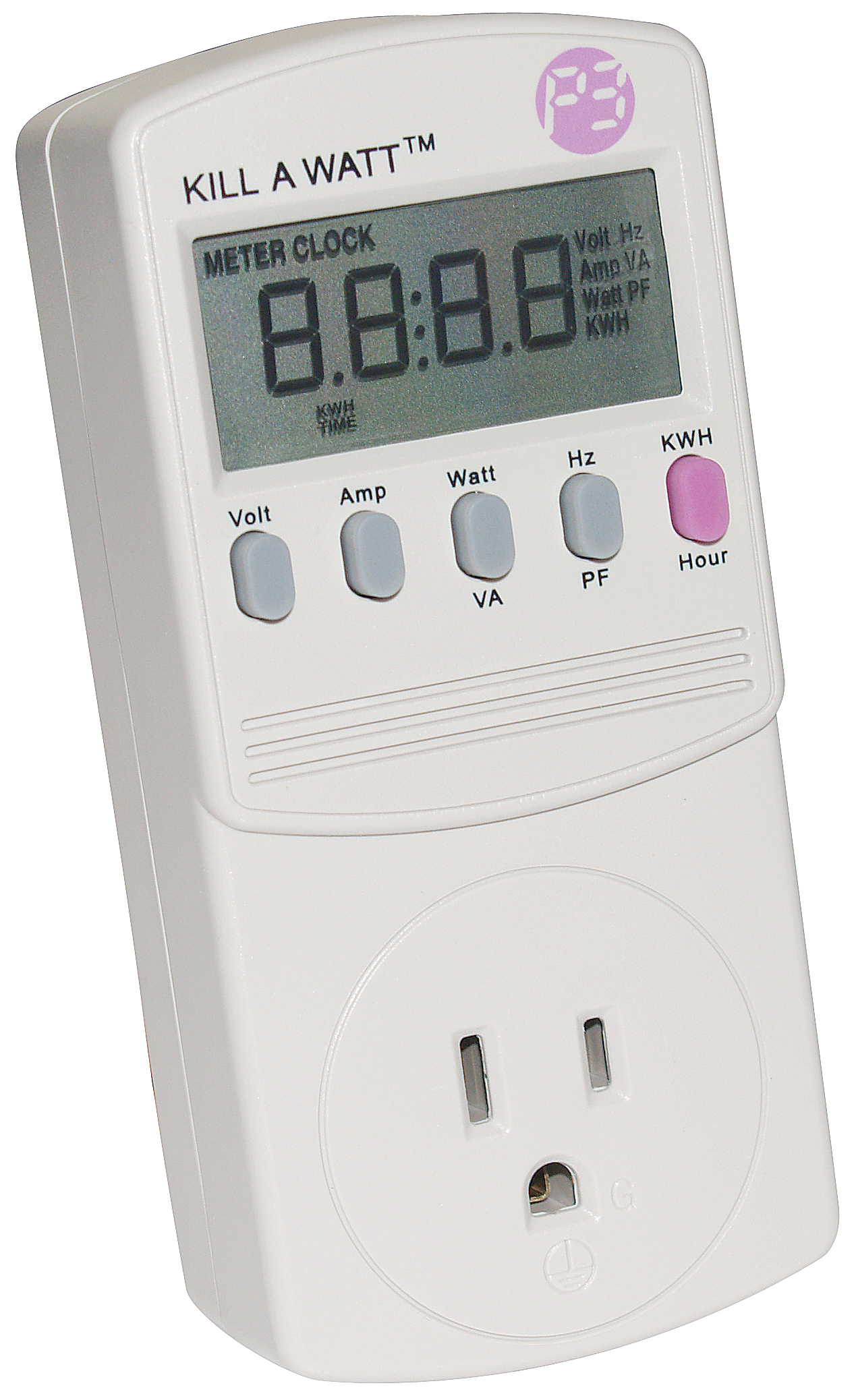
第一步:先测 Kill A Watt P4400
Measure first: find the loads above 5W before you automate anything.
Plug-in power meter · 24-hour averages
✓ Turns guessing into a measured list of what to automate
✗ Measures only — it cannot switch anything off by itself
Now around $19 (the guide noted $13).
Check price on Amazon →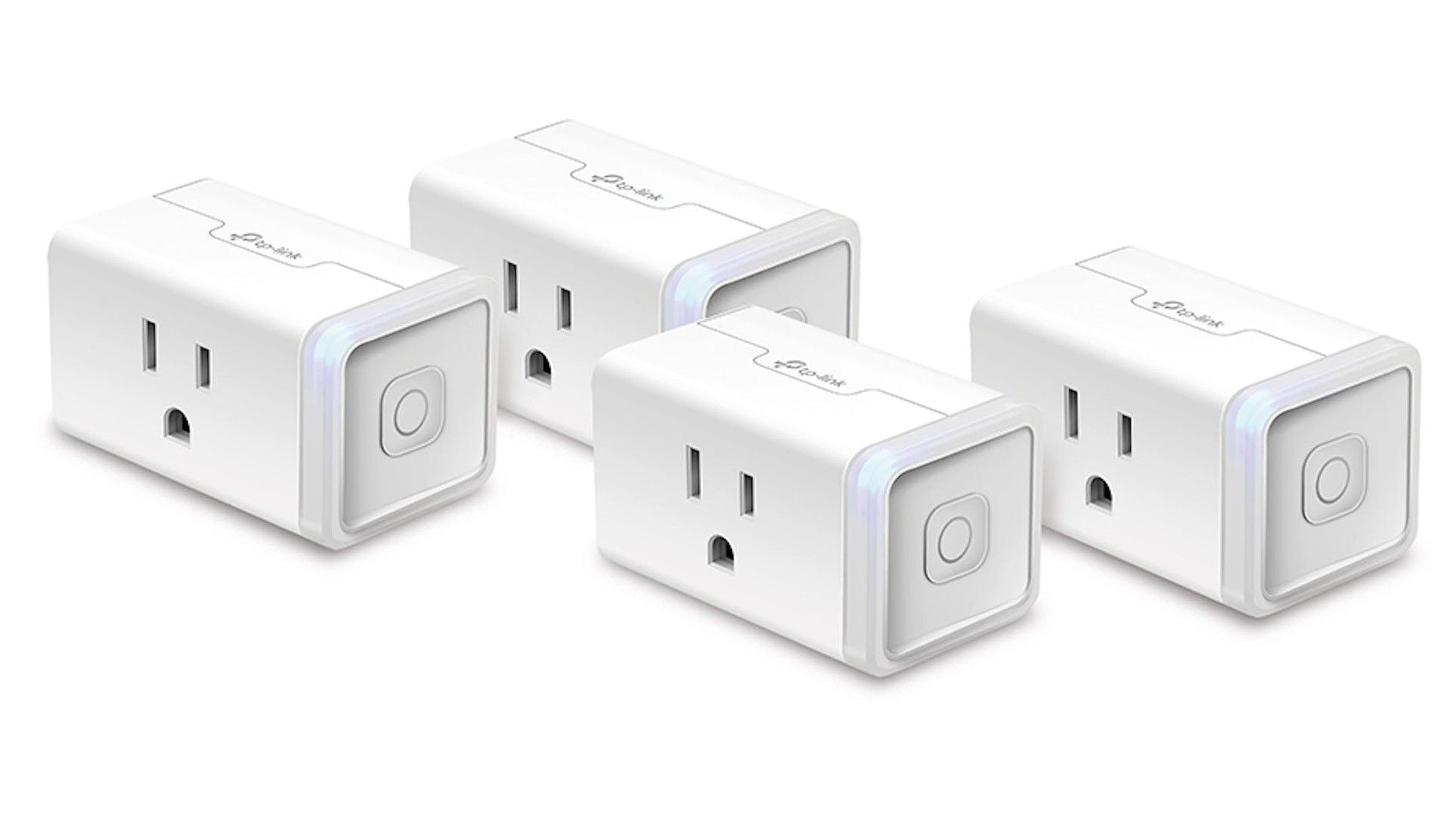
紧凑之选 Kasa EP25
Compact, good app, real power monitoring — the 4-pack covers a whole entertainment center.
Compact body · good app · power monitoring
✓ Fits where the bulkier Tapo blocks outlets
✗ Slightly pricier; same cloud dependency
Single plug around $15; the 4-pack is the better deal.
Check price on Amazon →As an Amazon Associate, we earn from qualifying purchases. Prices change — Amazon shows the current price.
My entertainment center used to glow like a Christmas tree at 2am — TV standby LED, soundbar, two game consoles, a streaming box, all sipping power for nobody. I bought a $13 Kill A Watt meter on a whim and measured the damage: 38 watts, 24/7, doing absolutely nothing. At my $0.18/kWh rate, that's $60 a year to power little red lights. I installed four smart plugs with schedules that weekend, and the meter now reads 2 watts overnight.
A year later, I've metered everything in the house and put smart plugs on the worst offenders. Here's the honest math on where they pay for themselves and where they're theater.
Where plugs help most
- Entertainment centers after bedtime (the 38W vampire I measured)
- Space heaters with forgotten switches
- Hobby printers and 3D printers that idle hot
- Older cable boxes and DVRs (some draw 25W+ in "standby")
Where plugs are pointless
Phone chargers draw 0.1–0.3W idle — unplugging them saves pennies a year, and a smart plug's own 1W draw wipes out the gain. Modern laptops and LED lamps are similarly negligible. Don't automate what doesn't matter; the plug itself consumes about 1–1.5W, so anything under ~3W of standby load isn't worth switching.
My setup: TP-Link Tapo P110 ($12 each, energy monitoring)
What I like: the P110 measures actual power draw in the app, so I could verify the savings instead of guessing. Schedules are reliable — the entertainment center dies at 1am and wakes at 6pm daily, and it's worked for 14 months without a hiccup. At ~$12 per plug (often 4 for $40), payback on my entertainment center was under three months.
What I don't: the Tapo app wants an account and pushes cloud features; local-only control needs workarounds. The plugs are chunky — two of them block adjacent outlets on a power strip, so get the mini versions (P105) for tight strips. And 2.4GHz Wi-Fi only, which is fine but worth knowing.
Pros and cons
- TP-Link Tapo P110 (~$12): energy monitoring, cheap, reliable schedules; bulky, cloud account required, 2.4GHz only
- Kasa EP25 (~$15): compact, good app, power monitoring; slightly pricier, same cloud dependency
- Smart power strip ($35–$50): one device for the whole entertainment center, master-slave outlets; single point of failure, overkill for simple setups
What I'd actually buy
Start with a Kill A Watt meter ($13) before buying any plugs — measure first, then automate the loads above 5W. For the plugs themselves, the Tapo P110 4-pack (~$40) covers an entertainment center plus a couple of strays. Expected savings in my house: ~$85/year, payback in under six months.
While you're energy-auditing, the Wi-Fi guide pairs well — a mesh node on a schedule is another overnight vampire. And if your entertainment center is a cable jungle, the cable management guide has my under-TV tray layout.
TP-Link's smart plug lineup lists current models and specs. The US DOE's energy.gov publishes standby-power data by device category if you want to estimate before buying a meter.
The math, in detail
Here's my actual measured inventory (Kill A Watt, 24-hour averages): entertainment center 38W standby, home office (monitor + speakers + printer idle) 14W, kitchen (coffee maker clock, microwave display) 6W, bedroom (chargers, alarm) 3W. Total: 61W of pure waste, or 534 kWh/year. At $0.18/kWh, that's $96/year.
Four smart plugs ($40) on the entertainment center, office, and two strays cut the waste to ~8W (the plugs themselves plus the microwave clock I kept). New waste: 70 kWh/year, $12.60. Annual savings: ~$83. Payback: under 6 months. The plugs will save ~$400 over a 5-year life. This is one of the highest-ROI purchases in my home — better than LED bulbs, which I'd already done.
My automation schedules
Entertainment center: OFF 1:00am–5:00pm weekdays (we're at work), ON evenings. Weekends: OFF 2am–9am. Office: OFF 11pm–7am. The 3D printer: OFF always unless I'm printing (manual toggle in the app). Everything has a 30-minute "grace" override — if someone's up late, one tap in the app or the physical button on the plug restores power. In 14 months, the schedules have misfired exactly twice, both during firmware updates.
What about smart power strips?
For entertainment centers, a smart power strip ($35–$50) can replace 3–4 individual plugs. The good ones have one "master" outlet — when the TV turns off, the strip kills power to the slave outlets (soundbar, console, streaming box) automatically. No schedules to manage, no app needed after setup. I switched my living room to a TrickleStar strip and retired two smart plugs. Downside: less granular control, and if the master device misbehaves, everything goes dark. For simple on/off setups, the strip wins on simplicity.
Bottom line: measure first with a $13 meter, automate the big standby loads, and skip the small stuff. My $40 investment saves $83 a year — find me another home upgrade with a six-month payback.
Compare the picks
| Product | Best for | Price | Key specs | |
|---|---|---|---|---|
| Tapo P110 (4-pack) | Whole entertainment centers | ~$40 / 4-pack | Energy monitoring on every plug | Check price → |
| Kill A Watt P4400 | Measuring before you buy anything | Now ~$19 (guide: $13) | Plug-in meter; 24-hour averages | Check price → |
| Kasa EP25 | Tight power strips; compact fits | ~$15 single | Compact; good app; monitoring | Check price → |
How much could you save?
Defaults are the author's own measured house: 61W of standby waste, 8W left after plugs, $0.18/kWh, $40 for 4 plugs. Change the numbers to yours — results update live.
Math: yearly kWh = watts × 24 × 365 ÷ 1000. Smart plugs themselves draw about 1–1.5W each, so loads under ~3W are not worth switching — that is why the after number is not zero.
Frequently asked questions
Does a smart plug itself use power?
About 1–1.5W, which is why anything under roughly 3W of standby load is not worth switching.
What is worth automating?
Entertainment centers (the author measured 38W), older cable boxes and DVRs (25W+ in standby), space heaters with forgotten switches. Phone chargers at 0.1–0.3W are pointless.
How much can I actually save?
The author's measured waste was 61W, or about $96 a year at $0.18/kWh. Four plugs cut it to about 8W, saving roughly $83 a year — payback under six months.
Smart power strip or individual plugs?
A strip is simpler for an entertainment center — the master outlet kills the slaves automatically — but you lose granular control, and if the master misbehaves everything goes dark.
Bottom line
Measure first with the Kill A Watt, automate only the loads above 5W, and skip the small stuff. The Tapo 4-pack covers an entertainment center; the author's $40 setup saves about $83 a year.
Affiliate disclosure: some product links may earn ElectroVibe Lab a commission at no extra cost to you. As an Amazon Associate, we earn from qualifying purchases.