
Everyday Tech
External SSDs for Creators Who Edit on the Go
What changed in this update: the baked comparison table was updated in place to the current 2TB lineup (Samsung T9, Crucial X10 Pro, SanDisk Extreme 2TB) and the recommendation paragraph and encryption note were updated to match; pick cards, FAQs, and a closing verdict were added. The X9 Pro was replaced by the X10 Pro at double the speed, and the older SanDisk 1TB link was replaced by the current 2TB Updated Firmware listing. The author's T7 Shield field-kit sections are unchanged, since the drive is still sold. Samsung's new USB4 P9/P7 were checked and deliberately not picked: 1TB starts at $340 and needs a USB4 port. SSD prices move fast in the 2026 NAND market, so Amazon shows the live price.

Cafe edits and weekend shoots need storage that keeps up with 4K footage. Bus-powered SSDs beat spinning drives when every minute of battery counts.
🛒 Featured picks in this guide
The products mentioned in this guide, in one place — tap through to check the current price on Amazon.
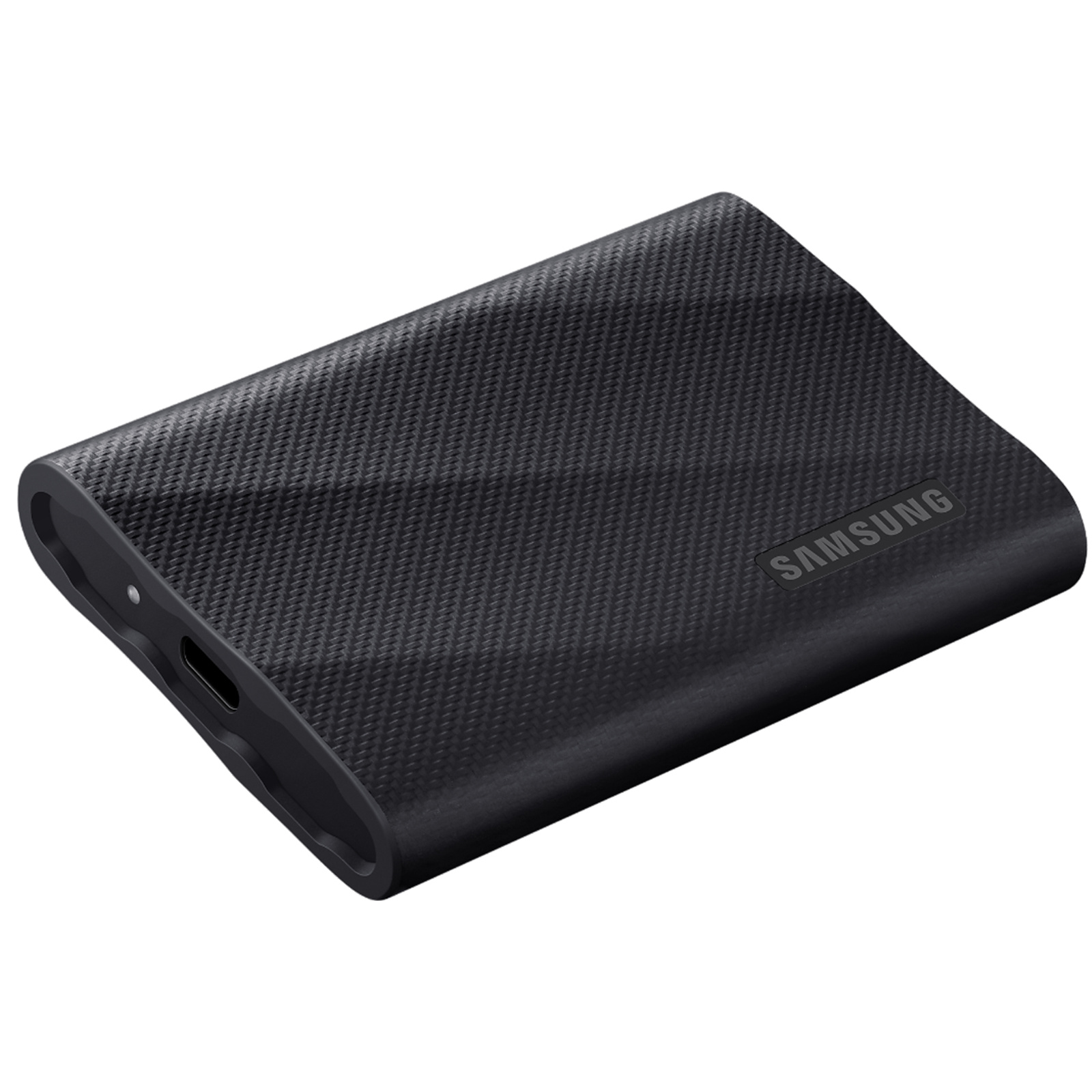
主推 Samsung T9 Portable SSD 2TB
The best overall portable SSD for creators in 2026, and the fastest mainstream drive most laptops can actually feed.
2,000 MB/s · USB 3.2 Gen 2x2 · 3 m drop · 5-year warranty · ~$279
✓ Best overall pick in 2026 guides; roughly double the T7 Shield's speed
✗ Needs a Gen 2x2 port for full speed — every MacBook falls back to ~1,000 MB/s
~$279
Check price on Amazon →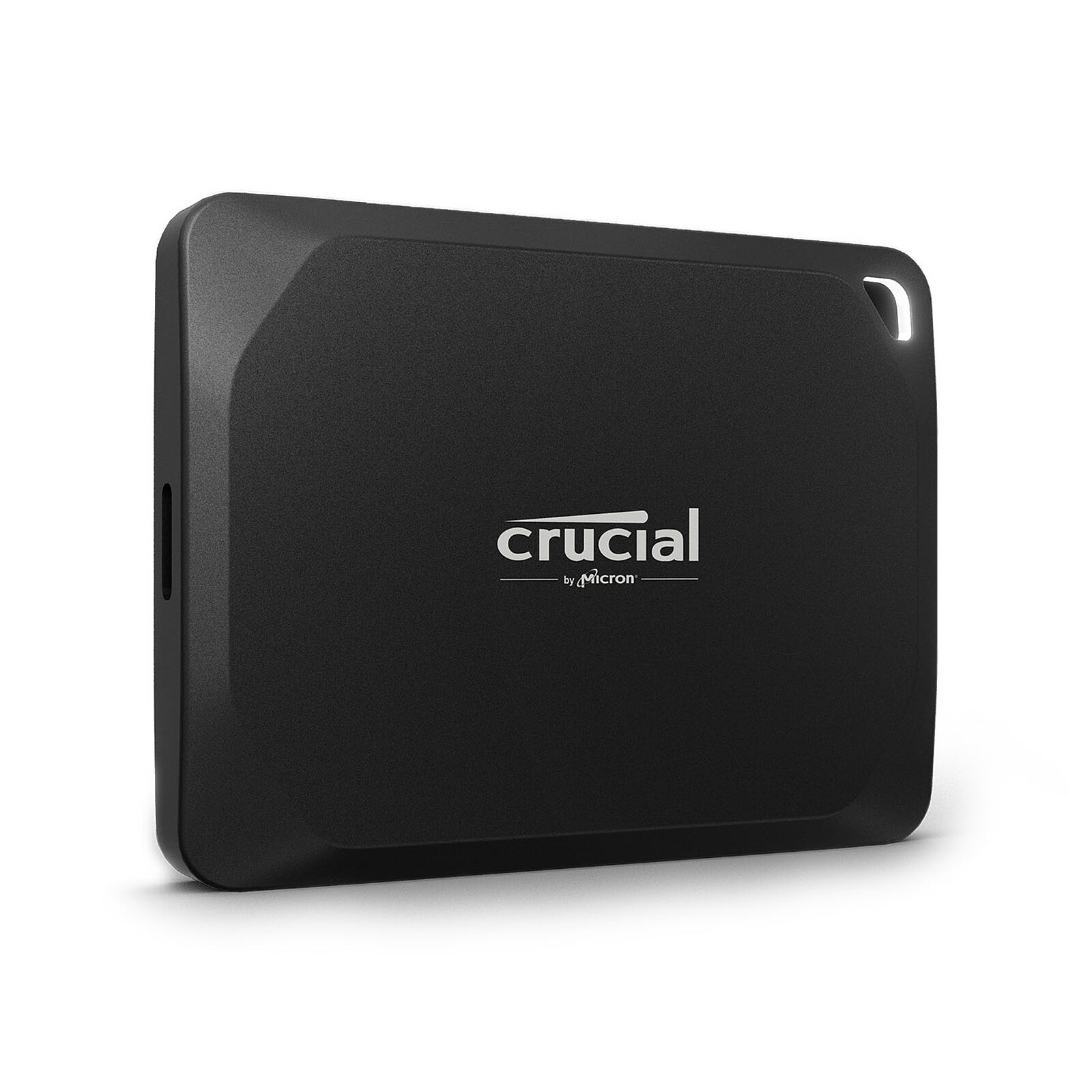
轻量大容量之选 Crucial X10 Pro Portable SSD 2TB
T9-class speed in a smaller, lighter shell, and it scales to 8TB if one drive must hold everything.
2,100 MB/s read · 2,000 MB/s write · USB 3.2 Gen 2x2 · IP55 · 2 m drop · ~$260
✓ Matches the T9's speed class with a tiny footprint; up to 8TB in one drive
✗ No USB-A adapter in the box; also needs Gen 2x2 for full speed
~$260
Check price on Amazon →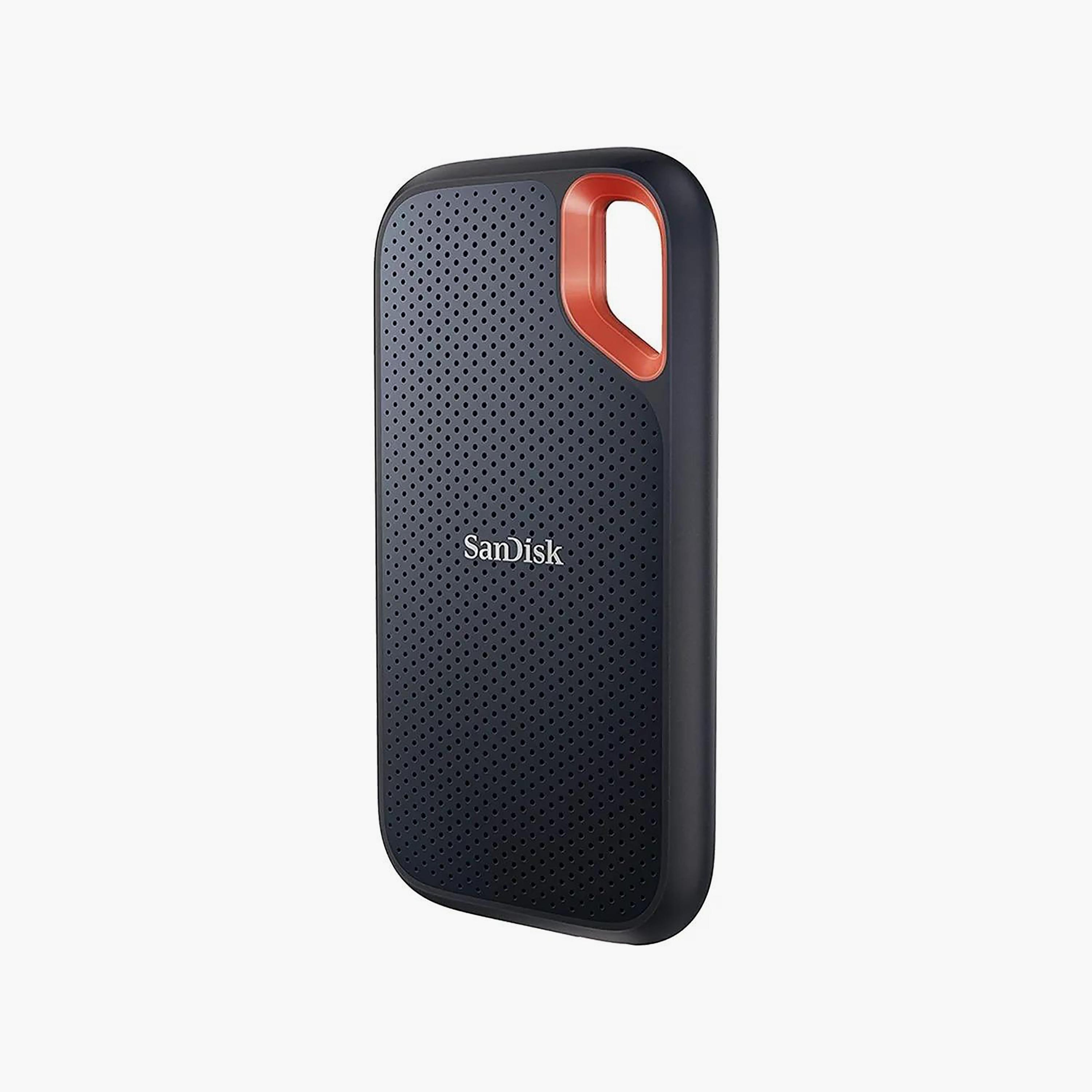
户外耐用之选 SanDisk Extreme Portable SSD 2TB
The field pick — IP65 sealing and a carabiner loop for bags, rain, and dusty locations.
1,050 MB/s · USB 3.2 Gen 2 · IP65 · 3 m drop · 5-year warranty · ~$240
✓ Best dust and water sealing of the three; 5-year warranty
✗ 10Gbps ceiling — half the rated speed of the T9/X10 Pro class
~$240
Check price on Amazon →As an Amazon Associate, we earn from qualifying purchases. Prices change — Amazon shows the current price.
I watched a wedding videographer's face go white on a subway platform when his spinning hard drive clicked, spun down, and took a half-finished export with it. That was 2022. He shoots on SSDs exclusively now, and so do I — after I started editing 4K drone footage on a laptop in coffee shops, I learned that a slow drive doesn't just waste time, it breaks creative flow every time the timeline stutters.
For the past year my field kit has been a 2TB Samsung T7 Shield ($189) velcroed to the back of my laptop lid. It's survived TSA bins, a rainstorm in a supposedly waterproof backpack pocket, and being stepped on once (my fault). Here's what matters when you're buying.
Speed tiers that matter
USB 3.2 Gen 2 (10 Gbps) is the practical target for most creators — real-world transfers of 800–1,050 MB/s. Thunderbolt drives cost more and shine with multi-stream 4K/8K workflows. Match the drive to the ports you actually have; a Thunderbolt drive on a USB-only laptop is wasted money.
My year with the Samsung T7 Shield (2TB, $189)
The headline numbers: 1,050 MB/s read, 1,000 MB/s write, IP65 dust/water resistance, and a rubberized shell that has absorbed real abuse. In practice, offloading a 128GB SD card of 4K footage takes about 2.5 minutes, and scrubbing a multicam timeline in Premiere feels identical to editing off the internal SSD.
What I like: it's tiny (3.5 × 2.3 × 0.5 in, 3.5 oz), the included USB-C to C and C to A cables cover every laptop I've touched, and Samsung's Magician software makes firmware updates painless. What I don't: it gets warm during sustained writes — not throttling warm, but noticeably hot to the touch. And the "Shield" rubber sleeve collects lint like it's paid to.
The step-up: Samsung T9 (2TB, ~$279)
I borrowed a T9 for a weekend project: 2,000 MB/s over USB 3.2 Gen 2x2. The catch is that most laptops — including every MacBook — don't have Gen 2x2 ports, so it falls back to 1,000 MB/s and you've paid extra for nothing. Only buy the T9 if you've confirmed your machine supports USB 3.2 Gen 2x2 (check the spec sheet, not the marketing).
Pros and cons
| Samsung T9 2TB (~$279) | Crucial X10 Pro 2TB (~$260) | SanDisk Extreme 2TB (~$240) | |
|---|---|---|---|
| Speed | 2,000 MB/s | 2,100 MB/s | 1,050 MB/s |
| Interface | USB 3.2 Gen 2x2 | USB 3.2 Gen 2x2 | USB 3.2 Gen 2 (10Gbps) |
| Ruggedness | 3 m drop, rubber shell | IP55, 2 m drop | IP65, carabiner loop |
| Caveat | Needs a Gen 2x2 port; Macs fall back to ~1,000 MB/s | No USB-A adapter in the box | Slower ceiling; confirm the Updated Firmware (G25) listing |
What I'd actually buy
For most creators: the Samsung T9 2TB — the fastest mainstream drive, provided you have confirmed a USB 3.2 Gen 2x2 port. If every gram counts or you want one drive that scales to 8TB, the Crucial X10 Pro 2TB matches the T9's speed class in a smaller shell. For rain, dust, and bag-abuse duty, the SanDisk Extreme 2TB is the rugged pick. The T7 Shield 1TB from my own kit remains the cheaper rugged option if your laptop tops out at 10Gbps — on such a machine it gives you the same real speed as the faster drives for less. Buy 2TB if you regularly work with 4K multicam; otherwise 1TB covers several trips before offloading.
One more thing: SSDs are not backup. My field rule is 3-2-1 — the SSD, a second copy on the laptop, and an upload when Wi-Fi allows. Speaking of which, the Wi-Fi guide got my home uploads from painful to painless. And when that SSD fills up with project files, the desk setup guide has my docking-station layout for ingest days.
Samsung's portable SSD lineup page has the official specs and compatibility notes. For independent sustained-write testing, Notebookcheck's storage reviews measure thermal throttling over long transfers.
What about just using a big HDD?
A 5TB portable HDD costs ~$130 — less than a 1TB SSD. For pure backup (write once, shelve it), HDDs are still the value king. But for active editing, the difference is brutal: I timed a Premiere project with 4K H.265 media on both. Timeline scrubbing on the HDD stuttered every few seconds; on the T7 Shield it was butter. The HDD also parks its heads when jostled — on a train or in a car, that's dropped frames or worse. My rule: SSD for working drives, HDD for cold archive at home.
Encryption: don't skip it
A portable drive WILL get lost eventually — mine's been left in two Ubers (recovered both times, sweating). The Samsung T7 Shield supports AES-256 hardware encryption via Samsung's software; set it up on day one, because encrypting 1TB later takes hours. For a drive without hardware encryption, use VeraCrypt or your OS's built-in encryption (BitLocker/FileVault) instead. Client footage on an unencrypted drive is a professional liability, not just a personal risk.
How much capacity do you actually need?
Do the math before buying: my 4K drone shoots ~45GB/hour of H.265. A weekend trip generates 200–300GB. 1TB covers 3–4 trips before offloading, which matches my backup rhythm. Wedding videographers shooting 8-hour days need 2TB minimum. For photographers (RAW files ~30MB each), 1TB holds ~30,000 photos — plenty. Buy the smallest size that covers two full projects; SSD prices per GB drop over time, so oversizing today is paying tomorrow's premium.
Frequently asked questions
Will the T9 run at full speed on my MacBook?
No. MacBooks have no USB 3.2 Gen 2x2 port, so the T9 falls back to about 1,000 MB/s — the same real-world speed as the 10Gbps drives. Only buy the T9 if you have confirmed a Gen 2x2 port; otherwise the cheaper 10Gbps drives give you the same speed for less.
Is 1TB or 2TB right for creator work?
Do the math from this guide: 4K drone footage runs about 45GB per hour, and a weekend trip generates 200-300GB. 1TB covers 3-4 trips before offloading; wedding videographers shooting 8-hour days need 2TB minimum. This guide's picks are 2TB because the audience shoots 4K multicam.
Can a portable SSD be my only backup?
No. SSDs are not backup. The field rule in this guide is 3-2-1: the SSD, a second copy on the laptop, and an upload when Wi-Fi allows.
What about Samsung's new P9/P7 USB4 drives?
Announced in August 2026, they reach up to 4,000 MB/s over USB4, but 1TB starts at $340 and you need a USB4 port to see the gain. For most creators the T9 class is the sane buy until USB4 is standard and prices fall.
Bottom line
For most creators editing on the go, the Samsung T9 2TB is the buy — the fastest mainstream drive, with the port check above. If every gram counts or you want one drive up to 8TB, the Crucial X10 Pro 2TB matches it. For rain, dust, and bag-abuse duty, the SanDisk Extreme 2TB is the rugged pick. All three beat any spinning drive for timeline work, and none of them replaces a backup.
Samsung T9 Portable SSD 2TB → Crucial X10 Pro Portable SSD 2TB → SanDisk Extreme Portable SSD 2TB →
Affiliate disclosure: some product links may earn ElectroVibe Lab a commission at no extra cost to you. As an Amazon Associate, we earn from qualifying purchases.